Turn any X post into a beautiful publication.
Paste a tweet link and Feather designs a scroll-stopping post, story or carousel from it — in seconds.

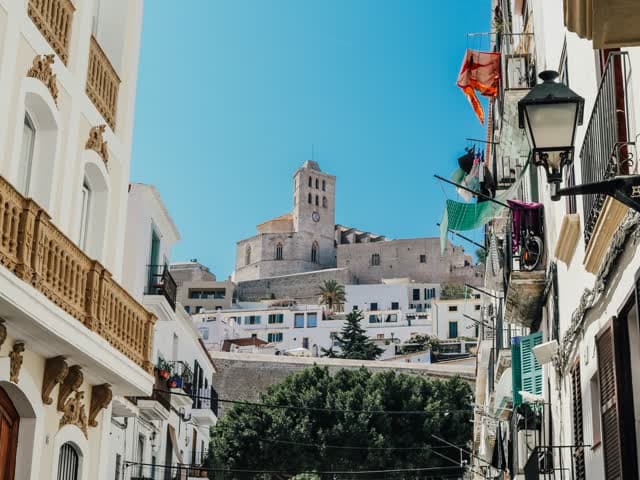
I thought Ibiza would stay with me because of the view. It stayed because the whole town felt like a place that knew how to be gentle.
10:24 AM · Jun 14, 2026 · 48.2K Views
I thought Ibiza would stay with me because of the view. It stayed because the whole town felt like a place that knew how to be gentle.

Nana
@nana
Four steps. About ten seconds.
Paste a link and let Feather do the design work — you just choose the look.
Paste the URL
Drop any X post link into Feather — a single tweet or a whole thread.
Feather downloads it
Text, media and author are pulled in once — no copying, no screenshots.
Customize the look
Pick a template, size and highlight. Your brand kit is applied automatically.
Export & share
Download a crisp, ready-to-post image, story or carousel — wherever you publish.
One tweet. Every style.
Every template, holding the same X post. Pick the one that sounds like you — the words never change, only the design.

Nana
@nana
I thought Ibiza would stay with me because of the view. It stayed because the whole town felt like a place that knew how to be gentle.
I thought Ibiza would stay with me because of the view. It stayed because the whole town felt like a place that knew how to be gentle.
Nana
@nana
I thought Ibiza would stay with me because of the view. It stayed because the whole town felt like a place that knew how to be gentle.
By Nana
@nana
I thought Ibiza would stay with me because of the view. It stayed because the whole town felt like a place that knew how to be gentle.
By Nana
@nana
NanaI thought Ibiza would stay with me because of the view. It stayed because the whole town felt like a place that knew how to be gentle.
Nana
@nana
I thought Ibiza would stay with me because of the view. It stayed because the whole town felt like a place that knew how to be gentle.
Nana
@nana
I thought Ibiza would stay with me because of the view. It stayed because the whole town felt like a place that knew how to be gentle.
Nana
@nana
I thought Ibiza would stay with me because of the view. It stayed because the whole town felt like a place that knew how to be gentle.
Everything a great post needs.
One panel of controls, and every change exports as an image, an animated card or a video.
A place that knew how to be gentle.Template
Fifteen designs, each with its own variants, set as a Story, a Post or a Square.
Text
Choose the typeface, the size, the line height and the colour. The type is most of the design.
Highlight
Pick out the line that matters and set how strongly it sits behind the words.
Media
The post's own photos, zoomed and framed one by one, or a new one you search for.
Quote
Bring the quoted post along at the length you choose, with or without its media.
Blur 60Background
A solid colour, a gradient, or the photograph itself, blurred behind an overlay you control.
Translation
Publish the same post in another language. 85 of them, right-to-left ones included.
 @nanaOn every export
Brand
Your logo and handle in place of ours, applied to every export automatically.
Metadata
Author, date, engagement, the link back. Show the ones you want and hide the rest.
Questions about Create Post.
What is Feather Create Post?
Can I turn a tweet into a carousel?
Do I need design skills?
What formats and sizes can I export?
Can I use my own brand colours and logo?
Is Create Post free?
Turn your next tweet into a beautiful post.
Paste a link. Pick a look. Publish something worth sharing — in seconds.
Start free